Project Web Controls
PC bindings and movement chords for the early beta — expect changes after FIXED or UPDATE builds.
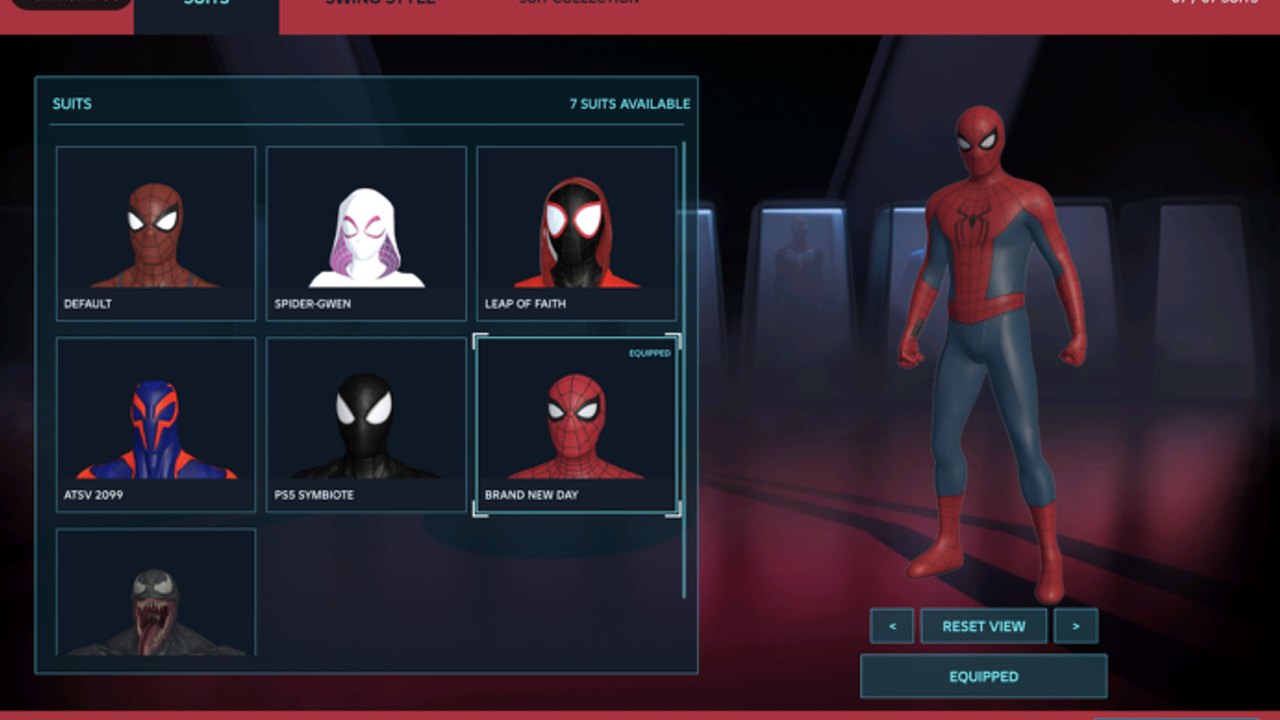
Mastering Project Web controls on Roblox PC is half the battle. The other half is listening to momentum. This page documents known and commonly demonstrated bindings from public gameplay (including sessions that show Shift-related fly/Web Wings experiments, slingshot chords, boost inputs, wall running, and standard swing). Because Project Web is an early beta, SellWater V2 can remap actions after FIXED or UPDATE drops. If a label in your client differs from this table, trust the in-game prompt and send a note via community channels on Players.
New to the experience? Skim Getting Started first, then return here as your key desk reference. Movement theory lives in Web-Swinging.
Control philosophy
Project Web favors chorded movement — holding one key while tapping another to slingshot or boost — layered on top of continuous swing input. That design rewards timing more than raw APM. Fighting the physics with tap spam usually dumps you into traffic. Treat every binding as a request to the web controller, not an instant teleport.
Server size is only four players, so camera chaos from four simultaneous slingshots is a social problem as much as a binding problem. Call your launches in co-op.
Known PC actions (early beta reference)
| Action | Typical input (PC) | Notes |
|---|---|---|
| Move | WASD | Strafe during swing to adjust orbit |
| Camera | Mouse | Keep the latch point visible when learning |
| Jump / vault assist | Space | Combines with other keys for launches |
| Web swing / attach | Primary swing bind (often click or dedicated swing key per build) | Re-check on-screen prompts after patches |
| Fly / Web Wings related | Shift (context-sensitive) | Wings remain unfinished; expect odd states |
| Slingshot / point launch | E + Space style chord | Aim the launch vector before releasing |
| Boost | C + Space style chord | Use to recover speed after a low swing |
| Wall run | Move into vertical surfaces with speed | Timing windows vary by suit |
| Dodge (combat) | Dodge bind shown in combat UI | See Combat |
| Attack / combo | Primary attack | Chain after a successful dodge |
| Abilities | Hotbar / ability keys | Suit-dependent |
| Open menus / suits / settings | Esc or on-screen buttons | Suit select and animation toggles live here |
Bindings above marked “style chord” come from observed gameplay patterns and may be labeled differently in your build. Always verify inside your client.
Swing input basics
- Gain a little runway on a rooftop.
- Attach a web to a valid point ahead and above when possible.
- Use A/D to shape the pendulum instead of only pushing W.
- Release near the top of the useful arc.
- Re-attach before you lose too much height.
If you stall, wall-run a face to rebuild speed, then slingshot toward the next district. Detailed momentum drills sit on the Web-Swinging page.
Slingshot (E + Space pattern)
Slingshot launches convert a aimed point into a burst launch. Community showcases often demonstrate holding E while pressing Space to fire the vector. Practical tips:
- Look where you want to go before chord input
- Avoid slingshotting straight into billboards at point-blank range
- Combine with a pre-swing so you are not launching from zero speed
- In traffic corridors, aim slightly upward to clear bus-height hitboxes
Missed slingshots are normal in the first hour. Reset on a roof rather than spamming the chord in a crowd of NPCs and cars.
Boost (C + Space pattern)
Boost chords help when your swing exits soft. Observed C + Space style boosts are best used:
- After a low release over an avenue
- When crossing wide gaps between towers
- To stabilize before a wall-run entry
Do not boost directly into the pavement. Slight camera lift helps the controller keep you aerial.
Shift, fly states, and Web Wings
Shift appears in gameplay references tied to fly or Web Wings behavior. Because Web Wings are still being worked on, treat Shift-related flight as experimental:
- You may enter partial wing states that cancel awkwardly into fall
- Color customization in settings does not equal finished flight gameplay
- Building main travel routes around perfect wing flight will frustrate you after patches
When wings mature in a future UPDATE, this controls page will call out the finalized toggle. Until then, prioritize classic swing, wall run, slingshot, and boost.
Wall running
Approach a wall with leftover swing speed, keep movement pressed into the surface, and exit before the run times out. Wall runs are recovery tools as much as style tools. Pair them with a quick re-swing. Heavy suits from the Tier List may feel less sticky — that is a handling difference, not necessarily a broken bind.
Combat-adjacent keys
While this is not the full combat guide, remember that dodge and attack bindings interrupt movement states. After a fight:
- Stop attacking
- Re-center the camera on a latch point
- Swing out before chaining another ability
Players who mash attack while holding swing chords often trigger confusing hybrid states. Separate the verbs: move, then fight, then move.
Settings that change how controls feel
- Peter vs Miles flight animations — changes the readable silhouette while airborne; pick the one your eyes follow.
- Web wing colors — cosmetic while wings are WIP.
- Graphics / effects — lower them if input feels delayed in dense scenes; the FIXED patch helped performance but local hardware still matters.
Suit choice also remaps feel even when keys stay identical. A Miles-leaning kit may make the same slingshot chord feel snappier than a heavy theatrical suit. Compare options in Suits.
Practice routine (15 minutes)
- Two minutes: walk and camera only on a quiet roof.
- Five minutes: basic attach-release swings across one block.
- Three minutes: wall-run along a single building face, exit to swing.
- Three minutes: ten slingshot attempts at a distant water tower or spire.
- Two minutes: boost recoveries after intentional low releases.
Log which inputs fail. If a chord does nothing, check whether the beta build remapped it, whether you are in a combat lock, or whether a scripted admin menu from Scripts has stolen focus (not recommended on mains).
Troubleshooting
| Symptom | Likely cause | Fix |
|---|---|---|
| Swing does nothing | Not aiming at valid geometry / UI focus | Free cursor from menus, look at buildings |
| Chord ignored | Wrong order or combat lock | Release attack, retry E then Space cleanly |
| Constant ground smacks | Late releases | Release earlier on the arc |
| Random fly state | Shift / wings WIP behavior | Tap Shift again or reset character |
| Input lag in crowds | Performance | Lower graphics; see Updates |
Related pages
Revisit this Controls article after every major title tag change. Early-beta keybinds are a living document — your muscle memory should stay adaptable.
Frequently Asked Questions
Quick answers for Project Web players.
Are Project Web keybinds final?
No. The game is in early beta, so SellWater V2 may change bindings after FIXED or UPDATE patches. Confirm prompts in your client.
What is the slingshot input?
Community gameplay commonly shows an E + Space style point launch. Aim first, then chord the keys. Labels can differ by build.
Does Shift always enable finished Web Wings?
No. Shift-related fly or wing behavior is tied to a system that is still being worked on and can feel incomplete.
Where should I practice new bindings?
Use a quiet rooftop route from Getting Started, then expand into traffic weaving drills on the Web-Swinging guide.